
Bluetooth Remotes
The King Pong experience isn’t complete without physical buttons. You can use any Bluetooth presentation clicker, camera shutter, or custom hardware that emulates a keyboard press.
How to Set Up
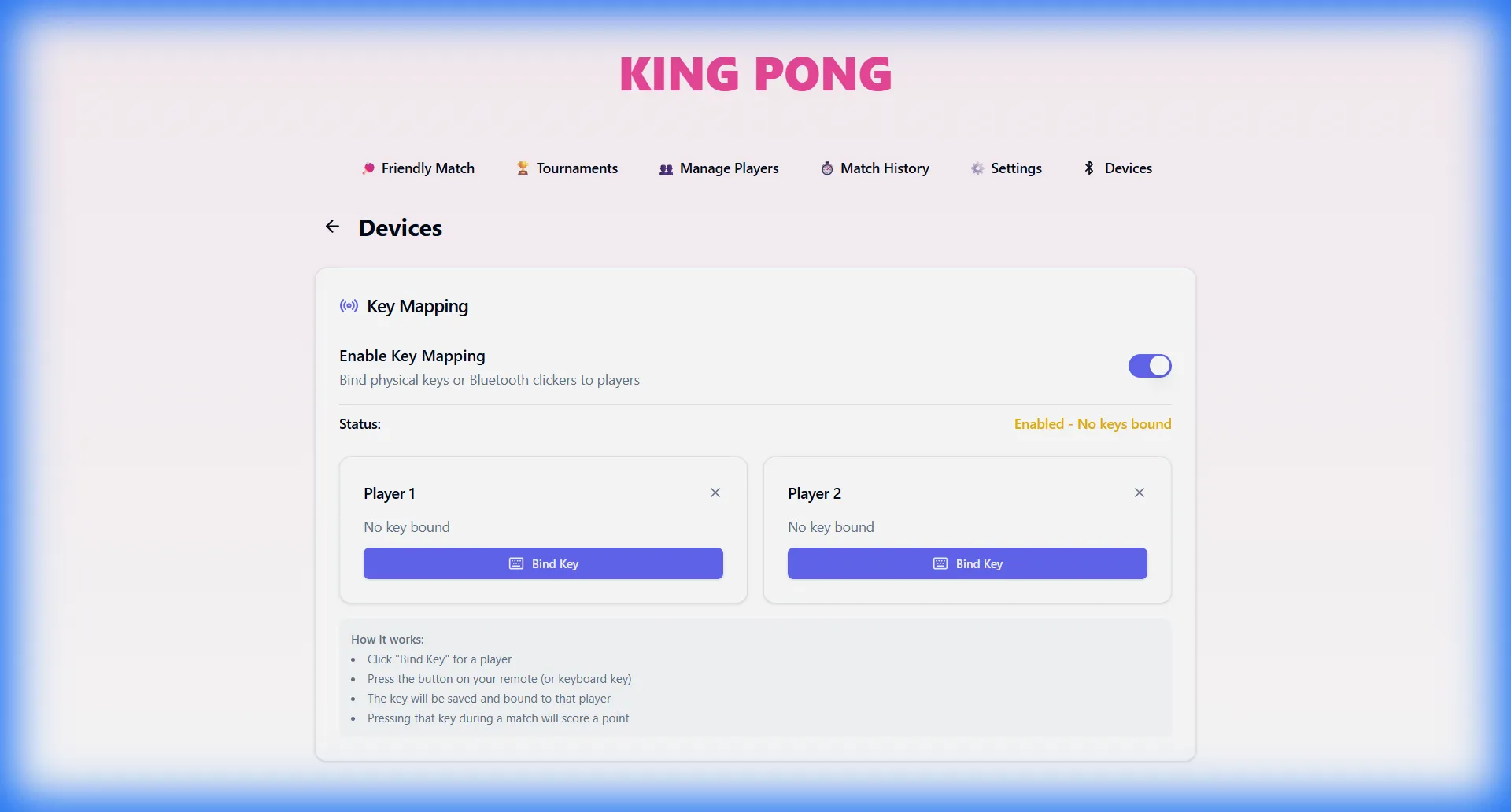
Section titled “How to Set Up”- Pair your device with your computer/tablet via Bluetooth settings (outside the app).
- Open King Pong and go to Devices.
- Toggle Enable Key Mapping to ON.
- Click Bind Key next to a player (e.g., Player 1).
- Press the button on your remote. The app will detect the key code and save it.
Troubleshooting
Section titled “Troubleshooting”- Not Detecting? Make sure the remote is paired with the OS first. Try pressing a key in a text editor to verify it’s sending signals.
- Wrong Key? Click Clear and try binding again.